Multi-provider consensus code review

Catch stronger signals.
Ignore weak ones.

Review your code across multiple LLM providers and keep only the findings that hold up — with confidence scoring and provider disagreement detection.

Built as a second validation layer in your review pipeline, before release or handoff.

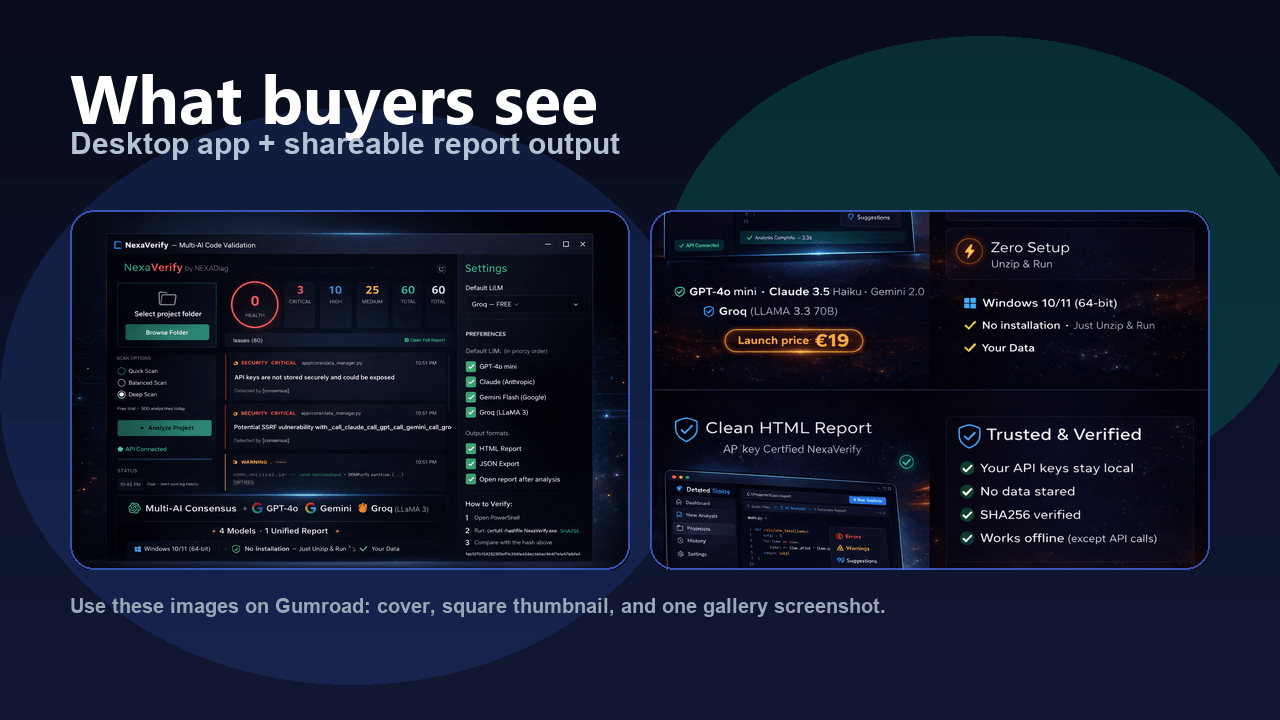
→ Select project folder → Run scan → Get validated issues
Get Lifetime Access — €19 Download free version
Windows 10/11 64-bit · Portable executable · No installation · Your API keys
No AI magic claims. Just cross-checked signals.

Who it's for

When AI writes most of your code

When AI generates large parts of your code, review speed increases — and so does uncertainty. NexaVerify adds a cross-check before that uncertainty reaches production.

Before client handoff or release

Add a validation pass when the stakes are higher. Review confidence scores before delivery.

Freelancers and consultants

Justify your audit fees with a professional-grade multi-LLM consensus report.

Best used before client delivery

Best used before production release

Best used after heavy AI-generated code

Best used on auth, shell, or runtime-sensitive logic


Why not just use one LLM

Single-model review

One LLM returns findings. Some are real. Some are hallucinations. You can't tell which is which — so you either trust everything (waste time on false positives) or ignore everything (miss real bugs). Single-model reviews can hallucinate or miss issues.

Multi-provider consensus

Multiple LLMs analyze the same code independently. NexaVerify compares their outputs — issues confirmed across providers get higher confidence. Isolated findings get lower confidence. Disagreements are surfaced, not hidden.

Scan modes

Quick

Fastest sanity pass. Small checks, quick signal.

Balanced ★

Best default. Good tradeoff between speed, signal quality, and cost.

Deep

Before delivery, client audits, high-risk code.

Workflow
1. Map

Select project. NexaVerify builds local view: files, chunks, stack, hotspots.

2. Validate

Providers return findings. Consensus engine filters weak or isolated signals.

3. Deliver

HTML for people. JSON for automation, archiving, diffing between runs.

What you get after a scan

Validated issue list

Findings ranked by severity, weighted by how many providers agreed.

Confidence per finding

Single-provider detection: lower confidence. Multi-provider agreement: higher confidence.

Disagreement flags

When providers disagree on severity, it's surfaced instead of hidden.

Dual output

HTML report for human review. JSON export for automation and diffing.

Provider health

See which providers succeeded, which failed, and why — in every report.

Prompt presets

Targeted review angles: bugs, security, performance, QA.


Setup in 30 seconds

1. Get a free API key

Gemini's free tier signs up in 30 seconds at aistudio.google.com/apikey — no phone needed. Or use Groq, OpenAI, Claude — any provider you already have.

2. Paste in NexaVerify

Open the app, paste your key in Settings. Done. Key stays on your machine, never sent to NEXADiag.

3. Scan a folder

Browse to your project, click Analyze. HTML report opens in your browser. That's it.


Real output — not mockups
Health: 92/100 5 issues surfaced Severity disagreement detected 1 provider failure tolerated Report generated with partial confidence

Self-test run · Balanced mode · 2/3 providers returned results · GPT failed with 429 quota error.

View full sample report → Show full breakdown ▼
92
Health
0
Critical
1
High
4
Medium
5
Total
FileTypeSeverityConfirmed byConfidence
shell_risk.py:5securityHIGHgemini ×1.565%
auth_bug.pybugMEDIUMollama ×0.950%
auth_bug.py:3bugMEDIUMgemini ×0.950%
runtime_bug.py:2bugMEDIUMgemini ×0.950%
runtime_bug.py:5bugMEDIUMgemini ×0.950%
Provider disagreement: auth_bug.py
ollama: HIGH · gemini: CRITICAL — Severity spread: 1 level.
Each issue detected by 1 of 2 providers. Confidence engine flags accordingly — it doesn't hide them.
Run your first validated scan →
How providers are handled
ollamalocal · 1 result
gemini4 results
gpt429 quota exceeded
Consensus engine — 2/3 providers returned usable results
Partial confidence — useful signal, but not full-strength consensus.
When a provider fails, the report is still generated with whatever data is available.
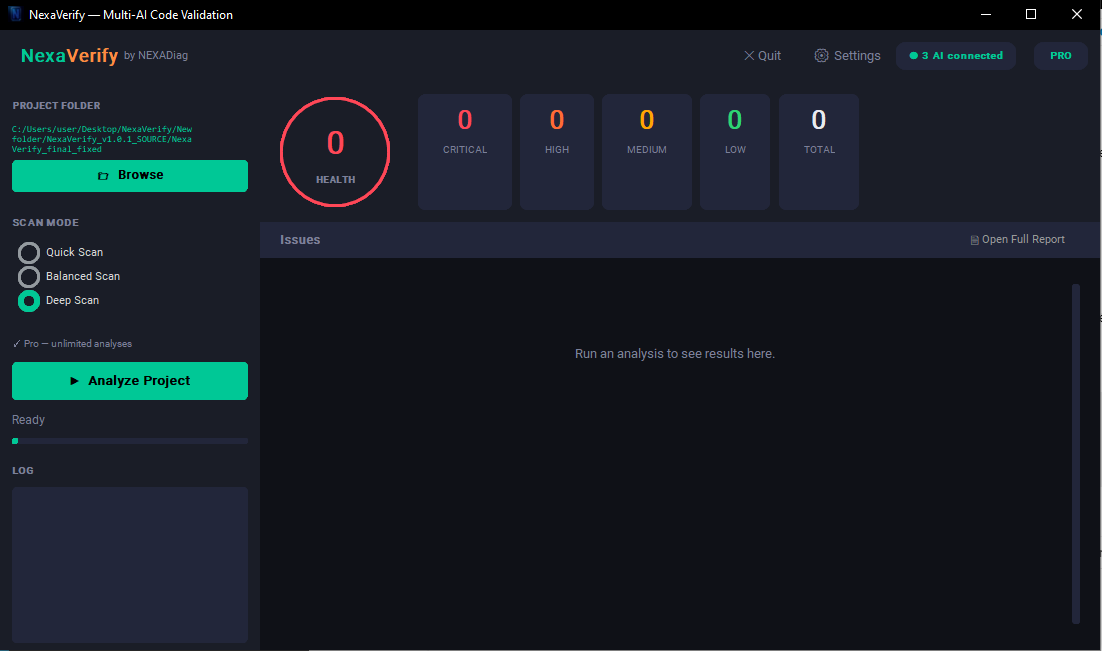
Interface — default state
NexaVerify — empty state before analysis
All indicators at 0 until a scan is run.

Constraints
Local execution. Windows 10/11 64-bit. No server between you and the LLM providers.
Your API keys. Stored locally. Sent directly to provider endpoints. No proxy.
Code not stored. Results generated in session. No code persists on disk.
Internet required for analysis. Local means no NEXADiag server. LLM API calls need connectivity.
Not a replacement for human review. A validation layer. Especially where providers disagree.
A tool in active evolution

✔ Available today

Multi-provider consensus with confidence scoring. Quick / Balanced / Deep modes. HTML + JSON reports. Disagreement detection. Local-first with your API keys.

🚧 Currently improving

Smarter consensus weighting. Better grouping of related issues. Improved performance on large codebases. Scan history and run-to-run comparison.

🤝 Built with users, not for them

Early users directly influence priorities. Not a closed SaaS — a tool that grows with real workflows. Buyers today shape what ships next.

No hype roadmap. Only what is actively being built.
Curious how it actually works before buying?
📖 Read the full user manual →
Pricing
€19 one-time
Pay once. Use forever. No subscription.
🎯 Early-bird price for first buyers. Will increase after launch phase.
Lifetime license. Machine-bound. Free updates as the tool evolves.
Multi-provider consensus engine
Quick / Balanced / Deep scan modes
HTML + JSON reports
Confidence scoring + disagreement detection
Prompt presets (bugs, security, performance, QA)
Diagnostics export from Control Center
Free tier: limited analyses/day · resets at local midnight · fewer files per scan · reduced provider slots
→ Full user manual

Reviews

No review yet. Be the first to try it and tell me what works — and what doesn't.

Honest feedback > fake stars. Drop me a note via the email or links below.

FAQ
Why multiple providers instead of one?
Single-model reviews hallucinate and miss things. With multiple providers, NexaVerify compares signals — weak false positives get lower confidence. Real issues confirmed across providers get higher confidence.
When should I use Deep vs Balanced?
Balanced is the daily default. Use Deep before delivery, on sensitive code, or when a client is paying for a thorough audit.
What if a provider fails mid-scan?
The self-test shows this: GPT failed with 429 quota error. The report was generated from 2 remaining providers with "Partial confidence" label. Keep at least 2 active providers to absorb individual failures.
What is JSON output for?
Archiving, automation, historical tracking, or comparing multiple runs. HTML for human reading.
Does it store my code or API keys?
No. API keys stay local. Code is sent directly to provider endpoints. No telemetry, no tracking.
What if I change PC?
License is machine-bound. Request a reset via support with proof of purchase.
Linux or Mac support?
Windows 10/11 64-bit native. Wine on Linux (experimental). macOS not yet available.
Will the tool keep evolving after I buy?
Yes. NexaVerify is in active development. Buyers receive updates as the consensus engine, reporting and provider handling improve. Your feedback directly shapes the roadmap.

Built by NEXADiag. Solo indie maker. No team, no investors — just one person trying to solve a problem they had: not trusting a single LLM with code review.
Questions, feedback, bug reports, ideas — all welcome at nexadiag@gmail.com. Every email gets a real reply, usually within 48h.